How do I obtain the Auth Code/UDAI/EPP/Domain Password?

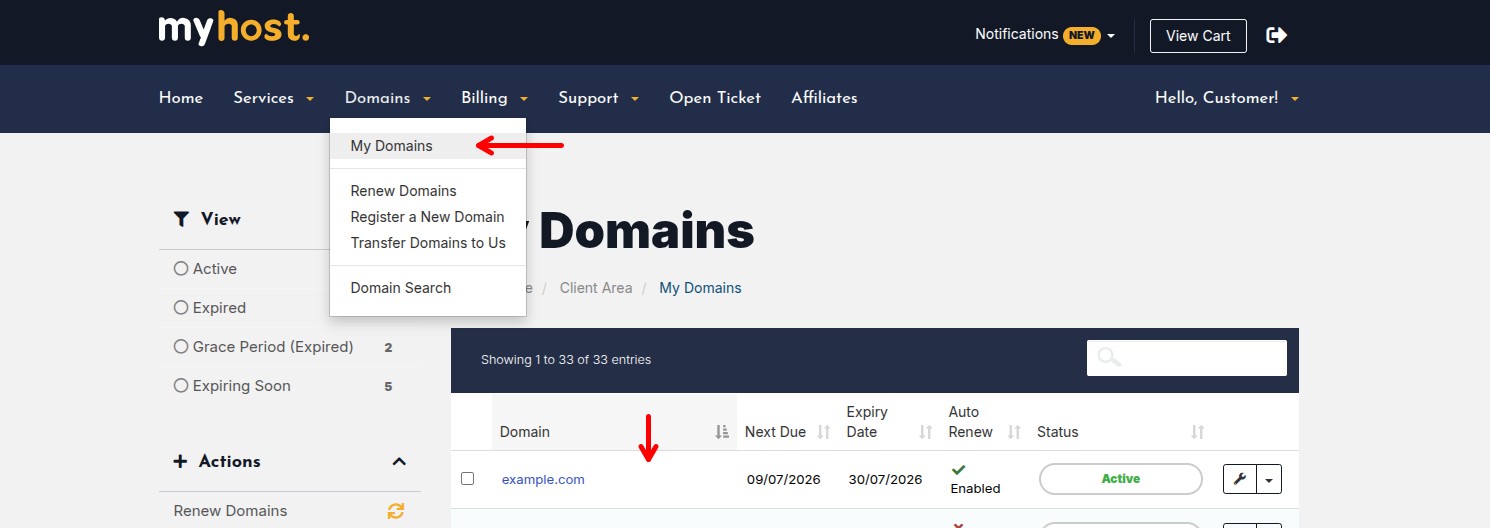
You can request for an Auth Code for your domain from the MyHost Client Area under the domain details page for your domain. To find this, go to Domains > My Domains from top menu. Then select your domain (being careful not to click on the blue link).
On the left panel, you should see Get EPP Code under Manage.
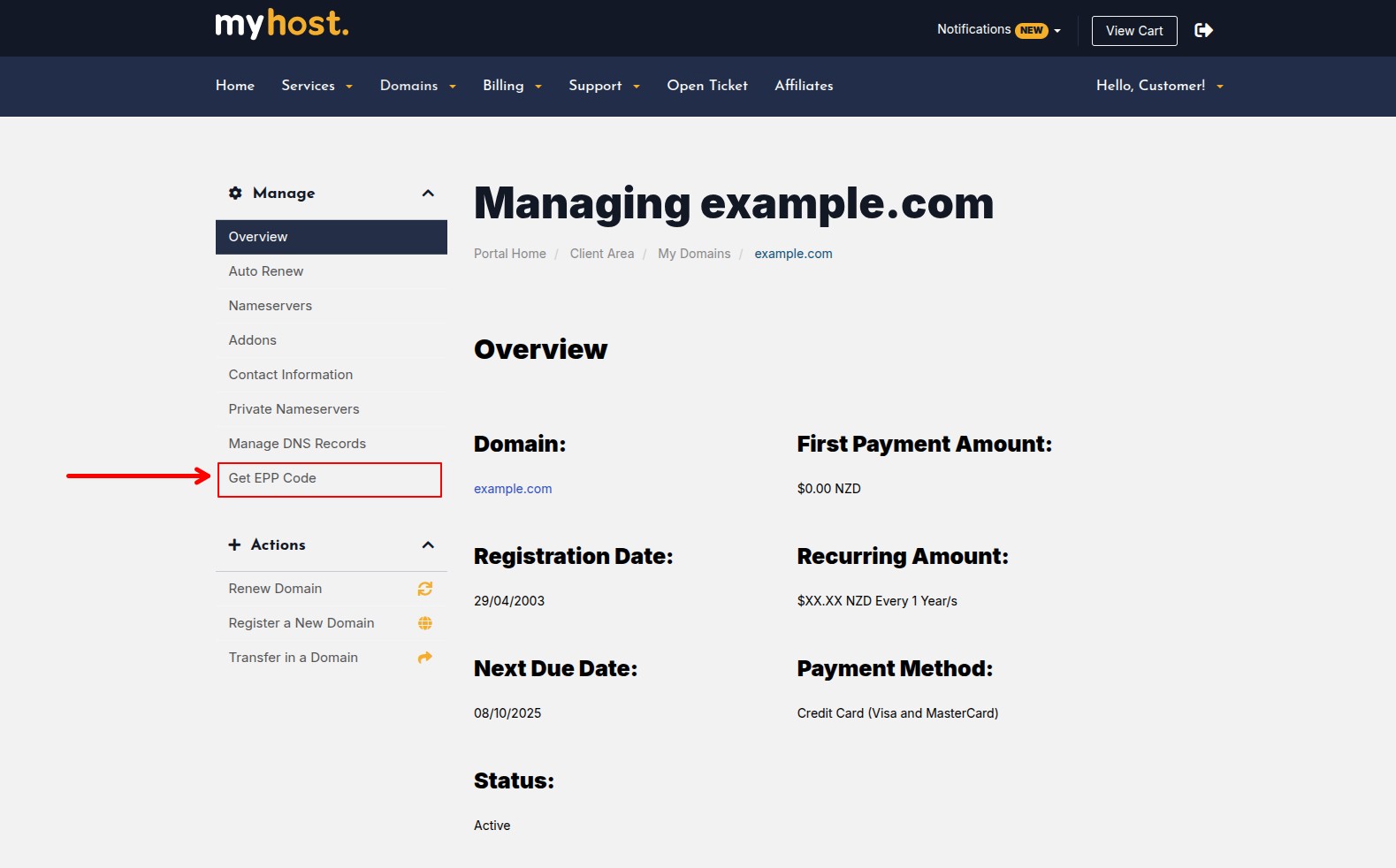
Get EPP Code

You will be sent the code to your registrant contact email address as soon as you press this button once. It might take a few minutes to arrive.

To verify your registrant contact email address is correct, you can click on Contact Information, amend the email address under Registrant Contact then click Save Changes at the bottom: Updating Domain Contact Details 

Transfers to MyHost

You will need to obtain an Auth Code from your existing provider. Please follow this guide: How do I transfer an existing domain to MyHost?

  • 0 Users Found This Useful
Was this answer helpful?

Related Articles

How do I register my own domain name?

Simply visit our domain name search page, which is available here:...

How much do you charge for domain transfers?

All .nz domains can be transferred to MyHost free of charge, unless the domain is due to expire...

Transferring .com domains

To transfer a .com domain, follow these steps:1. Obtain your Auth/EPP code from your current...

How long does it take to transfer my domain over?

Domain transfers can take time depending on the type of domain being transferred. International...

Kiwi Web Host migration: Do I need to update my DNS records?

As part of the migration of Kiwi Web Hosting hosting services, we migrated Alpha and Bravo to our...