There are two ways to manage your DNS records within our system: via the Client Area or via cPanel.
Which method should I use?
- Use the Client Area (Method 1): If you registered your domain name directly with us. This is usually the quickest method for domain owners.
- Use cPanel (Method 2): If you only have a Web Hosting plan with us or if you prefer managing advanced zones directly in your hosting control panel.
Updating via MyHost Client Area
If you hold a domain registration with us, follow these steps to update your records:
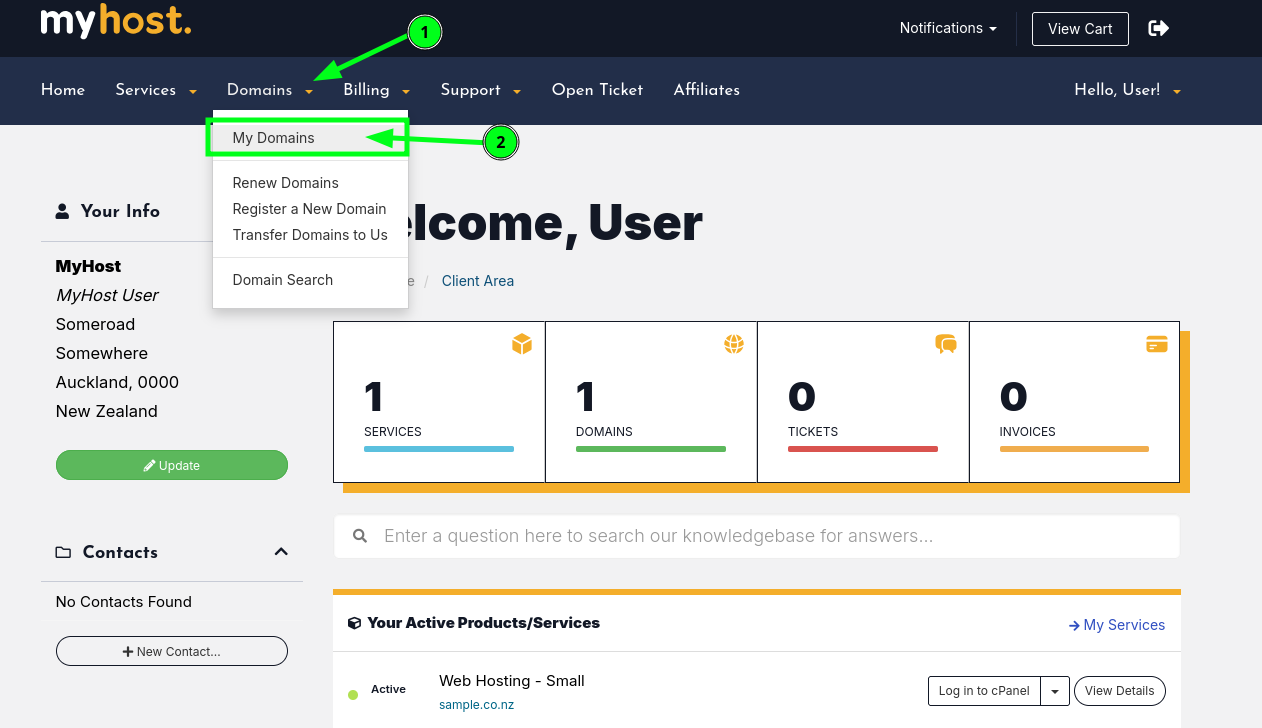
- On the top navigation bar, click on Domains. When the dropdown menu appears, select My Domains.
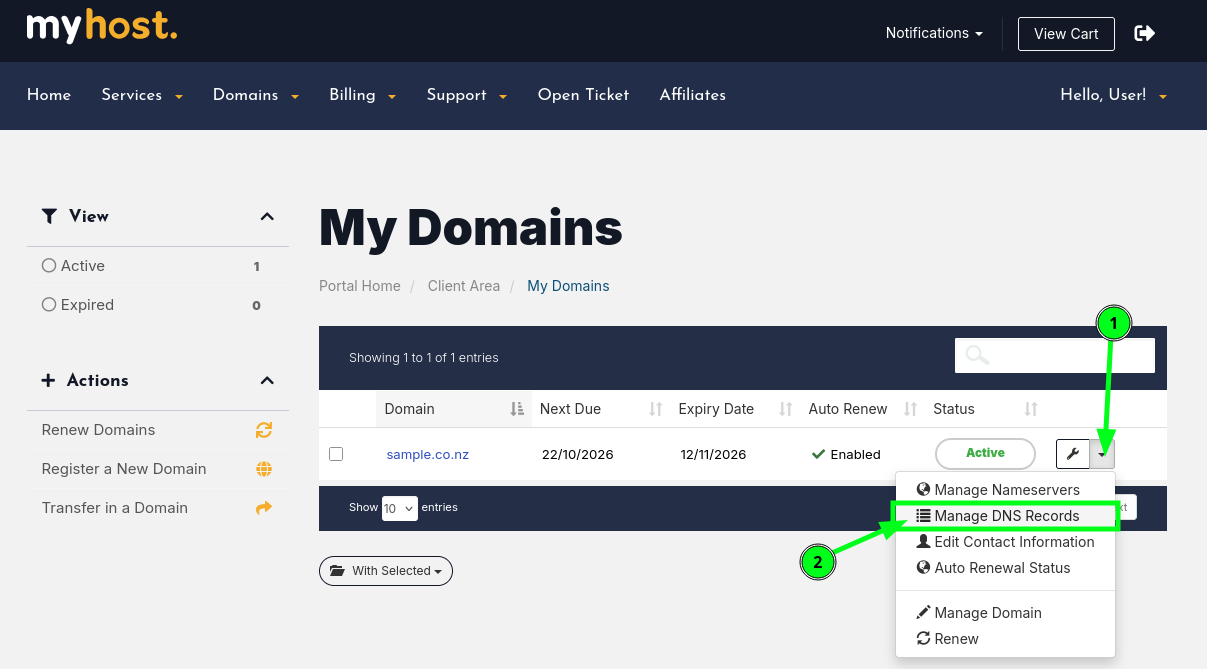
- Look to the far right of your chosen domain row. Click the down arrow (dropdown icon) next to the wrench icon. From the menu that appears, click Manage DNS Records.
Updating via cPanel (Zone Editor)
If you are managing DNS for a hosting plan, you can use the cPanel Zone Editor.
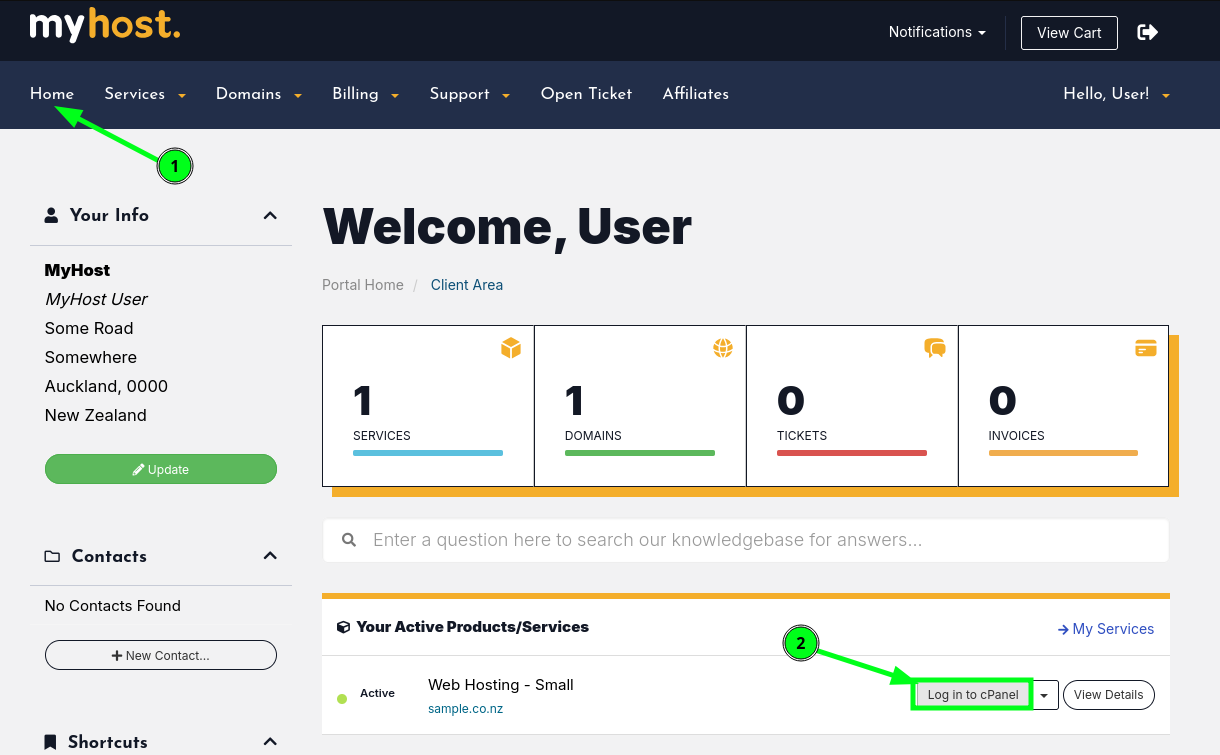
- From the homepage of the Client Portal, scroll to the Products/Services section. Find the hosting service you want to update and click Log In to cPanel.
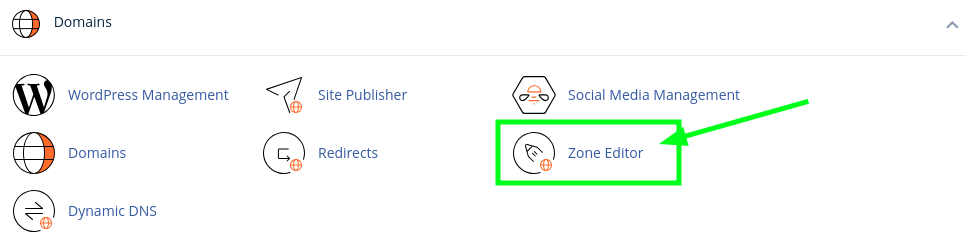
- Once you are in the cPanel dashboard, scroll down to locate the Domains section. Click on the Zone Editor icon.
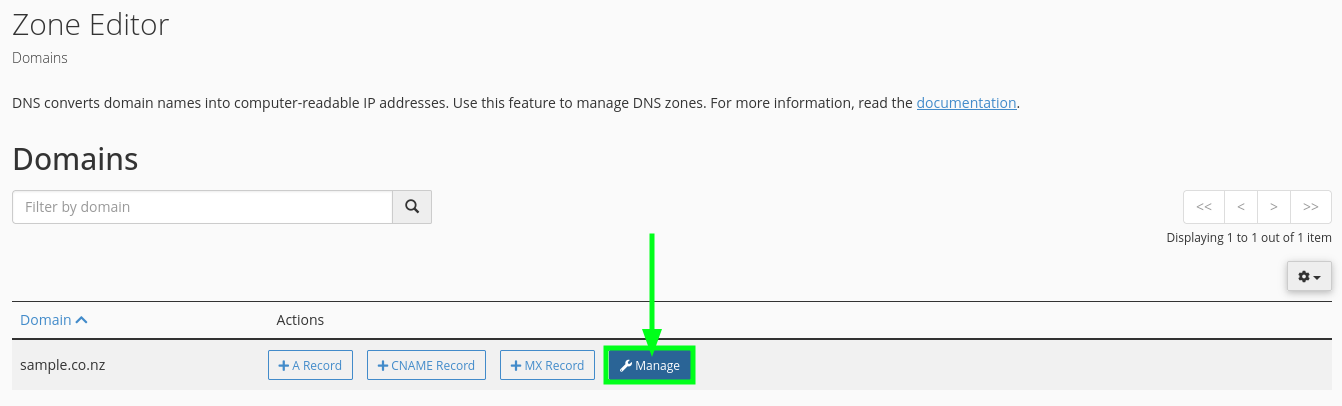
- You will see a list of domains associated with your hosting account. Click the Manage button next to the domain you wish to update.
Important Notes
- Please note that DNS changes are not instant. While some changes may be visible immediately, it can take anywhere from 1 to 24 hours for the changes to propagate across the internet.
- Before making any DNS changes, backup your previous records just in case you need them again.